


Generating 3D Model Figures with AI
It’s starting to feel like you can’t avoid AI these days. AI even took my order in the drive thru the other day, but it failed, and a staff member had to step in to fix it. The most common one most people have heard of is ChatGPT, but it’s only one of many out there. Many AI models are very specialized and can only do one thing, but not always well. The latest thing I keep hearing about in my 3D printing circles revolves around generating 3D models using AI.
The first person I personally know to use AI for a model was friend of Make: Magazine Andrew Sink. He managed to get ChatGPT to make an STL of a cube. It wasn’t perfect, but it was workable. But it was still just a cube. I started testing sites in late 2024 and in just a year, it’s come a long way. Here are just a few of the AI models out there and the ones I used for my year-long experiment.
For this test, I used a photograph of myself and the following text description for text-based prompts:
“A man with medium length, curly hair, a short beard and mustache, rounded rectangle glasses (no lenses), jeans and a V neck t-shirt. He has on hand on his hip and he’s giving a peace sign with the other. He is wearing Vans style tennis shoes.”
Meshy
The first tool I tried out was Meshy. It offers options for both text to 3D model and photo to 3D model. When I signed up as a free user a year ago, I got 200 monthly credits to use toward generating models. In my tests, each model generated used up 10 credits. You’re allowed to have a single task waiting in the queue at low priority. All models generated are under the CC BY 4.0 license and must be credited to Meshy. Currently, as a new user, I got 100 credits and my jobs take 20 credits now.
If you’ve ever used ChatGPT to generate an image, you’re probably used to the interesting interpretation of your request and Meshy is no different. In 2024, when you request a model, it generated four iterations, and you can pick one to expand on. My results were mixed. The text-based option made a cartoonish representation of my request while the photograph request attempted to make a more lifelike appearance, but mostly failed to capture my likeness. One of the photo results looks more like a blob than a person.
2024 Meshy:
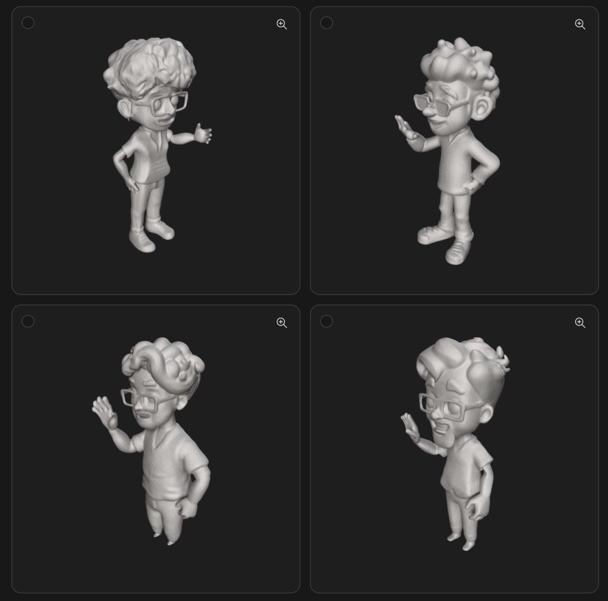
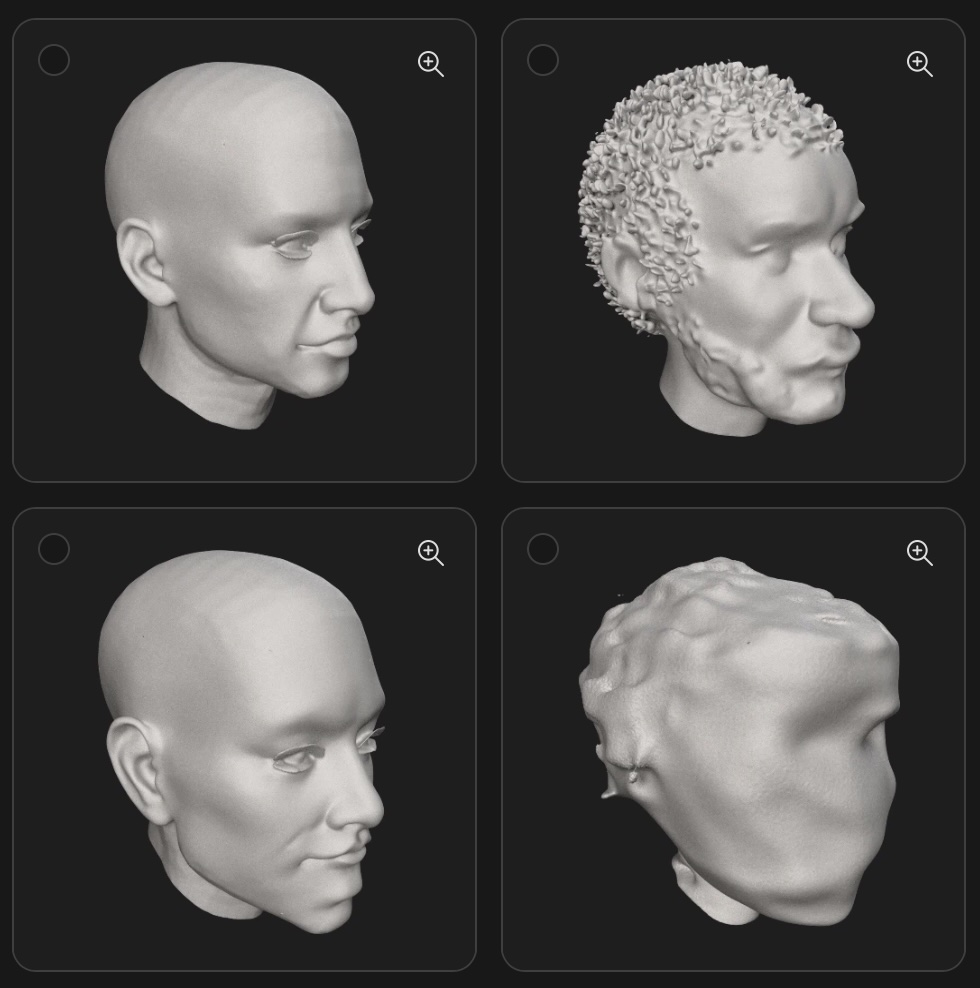
Today, Meshy asked what styles I liked and what kinds of things I wanted to generate. I picked characters and cartoon as the style. Despite that, my text prompt generated a single model of a realistic man as I requested. I didn’t ask it to make it look like me so it didn’t, but it did follow the prompt. When you zoom in, the features are a bit blurred, but if I was to 3D print this as a small action figure, I imagine it being fairly passable. The photograph bust it generated was much more photo realistic, but it definitely hits that uncanny valley feeling. It’s come a long way in just a year.
2025 Meshy:
Rodin Diffusion
Rodin Diffusion is hosted on the Hyper3D website. It requires a user to sign up and issues credits to the new account. There are paid options as well. New users are given 5 credits and each model I generated used 0.5 credits, marked down from 1 full credit (likely because I’m a new user). In 2025, as soon as you sign up, you immediately get hit with two paid tiers: a $30 “Creator” tier (discounted to $15 for your first month) and the default selection, the $60 “Business” tier. This time, I’m on a 7 day free trial before I have to pay.
Rodin’s text results were mixed. As a free user, I was limited to the number of polygons it will use to generate the image. It added details I didn’t ask for (like a watch) and wasn’t too good at generating a hand with a peace sign. The photograph generated bust came out much better than I expected, and bared a striking resemblance to me despite polygon restrictions. You’re allowed to request regeneration a number of times before you commit to the geography and it generates the actual model file. The final file looks much smoother than the preview and definitely looks 3D printable.
2024 Rodin:
2025 Rodin isn’t messing around. This updated Rodin is called Gen 2 and it shows! The text prompt immediately generated a small pic of the man I described, but zooming in, it’s far from clean. But it is only meant to act as a source. Once you have the image, you can hit the big Generate button and you get your free preview before you use up your credits. The features are more defined than in Meshy, but the features aren’t accurate. The peace sign is almost alien looking, and it almost looks like the model is also holding a donut while holding the peace sign. Oh, and there is a whole extra arm.
Other than the extra arm, I can see where the generated image influenced the odd effects of the 3D model. Hitting Redo a couple times didn’t seem to help. It’s a great starting point if you wanted to import these models and clean them up in a modeling software like Blender or Nomad Sculpt if you don’t want to use the web-based mesh editor built into the site. Unfortunately, the extra arm and weird fingers ended up in the final generated model. The photo-to-model prompt worked great aside from the choice to give me four teeth and a smooth mouth otherwise. Still a great starting point to refine.
2025 Rodin:
Makerworld Makerlab by Bambu Lab
I’m sort of cheating by covering Makerlab as one AI tool because it’s really a collection of tools. There are a handful available that are text based, image based, or both. I focused on just two options: Makerworld Make My Statue creates busts like I generated in Rodin; and Printmon, a tool to create small characters and creatures inspired by other -mon properties like Pokemon and Digimon. Since I originally signed up in 2024, there have been many more additions to Makerworld’s generative AI offerings. It’s nice seeing so much active development.
When I joined in 2024, Makerworld issued credits by using their site. When you upload models, successful ones will generate you credits for use elsewhere on the site. Like on the other sites, signing up gets you some credits to start. The same appears true in 2025 with 50 “permanent” credits (a welcome gift) and 20 monthly credits that renew each month, but I assume won’t accumulate since they aren’t also “permanent” credits.
Make My Statue only allows for photograph based generation. This AI model requests photos that are roughly chest high and the subject is to be facing the camera directly. They also show you examples of photos that will and will not work with this process. Once the model is generated, you’re given the option of adding a base to it before exporting it for printing. In my test, the front of the bust shows a passing resemblance, but the back of the head gets shrunken down and the site guesses what the back of the head would look like. While impressive, the better result (in my opinion) came from Rodin in 2024.
2024 Makerworld:
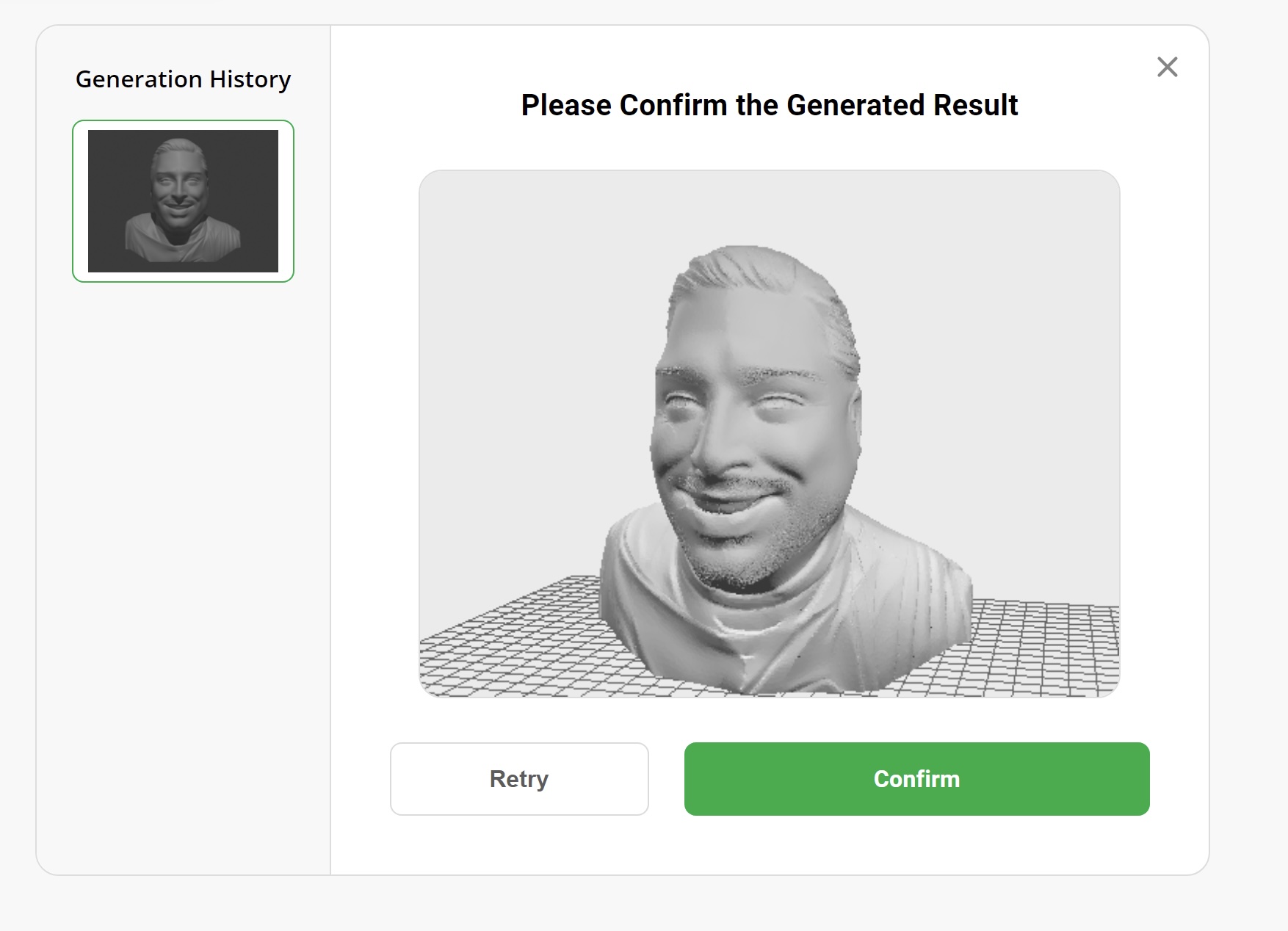
The latest version of Make My Statue operates much the same, but this time it had trouble when it got to the refine mesh step. The model would crash the page after it worked on the mesh for a couple minutes. Then it wouldn’t let me back into that draft. I had to delete it and upload the source photo a second time. Unfortunately, the second attempt ended the same way preventing my test from running. I decided to take the original file, a PNG and converted it to a JPG file to upload a third time. This time there were people ahead of me in the queue so I was hopeful, despite the six minute quoted wait time (it was three previously). Unfortunately, the third time was not the charm and I gave up on maintaining the experiment, and even tried another photo of myself. To my dismay, it appears MMS is just broken right now. Clearing browser history and all that didn’t help either so I’ll have to try it again later and post the results to my socials.
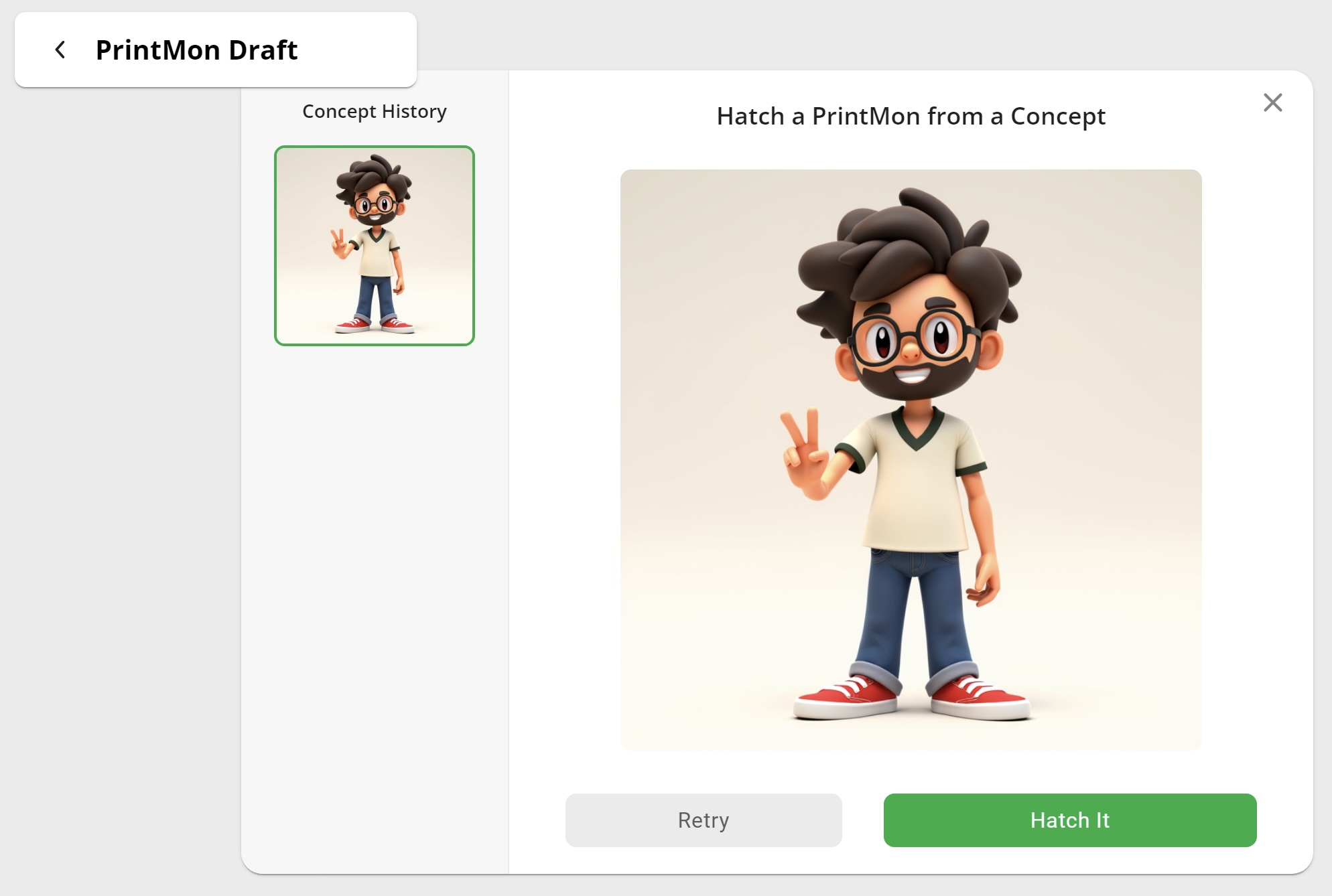
I originally tried using Printmon to generate a character based on the same text as with the other models, and while the model was cartoonish, I was blown away. The model showed all the details I requested and only took a few minutes to generate. While the character looks fantastic, I don’t know how printable the model really is for a filament based printer (like Bambu Lab makes).
The latest version of Printmon works almost identically to last year. It’s quick and responsive. It picked up the details I asked for and again generated a cartoonish character that I’m not sure would print very well with FDM printing. It’s a bit more refined, but very similar to last year’s preview result, if not a little more mature, both in character age and level of refinement. The final step is to “Hatch It” and while I remember it working last year despite my lack of photo, this time it times out while rendering. I had the same issues with Make My Statue so I suspect something bigger is going on with their servers so I will again have to test later and share my results.
2025 Makerworld:

No bust preview was successfully generated.
Summary
Just one year after starting my experiments, it’s really wild to see how far generative AI has come. The models are coming out generally cleaner, clearer, and the resemblance has definitely improved. Even a year in, I feel like using AI to generate models is still in its infancy, and the updated results are even more promising than last year. At the rate these technologies are progressing, I can’t help but to imagine how tools like these will make 3D modeling accessible to all users whether they have experience with 3D CAD and modeling software or not. Sites are already filling up with models generated by these tools and others. We are still in the quantity over quality stage, but don’t let that discourage you from trying these tools out yourself! Please share your experiences and tag us on social media!


Leave a Reply